File Permissions
Linux File Permissions
See also: File Permission and chmod
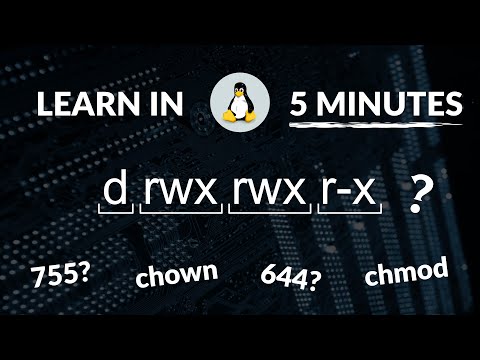
In Unix/Linux systems, every file and directory has associated permissions that control who can read, write, or execute them.
Setup: Create Practice Directory
cd ~
mkdir -p permission_practice
cd permission_practice
Understanding Permission Notation
Run ls -l to see permission strings:
-rwxr-xr-x  1  user  group  1234  Jan 20 10:00  filename
│├─┤├─┤├─┤
│ │  │  └── Others permissions (r-x = read + execute)
│ │  └───── Group permissions (r-x = read + execute)
│ └──────── Owner permissions (rwx = read + write + execute)
└────────── File type (- = file, d = directory, l = link)
Permission values:
| Symbol | Permission | Numeric Value |
|---|---|---|
r |
read | 4 |
w |
write | 2 |
x |
execute | 1 |
- |
none | 0 |
Step 1: View Default Permissions
touch testfile.txt
ls -l testfile.txt
-rw-r--r-- 1 username group 0 Jan 20 10:00 testfile.txtThe default
644means: owner can read/write, others can only read.
Step 2: chmod with Numbers
Calculate permissions by adding: r(4) + w(2) + x(1)
| Permission | Calculation | Result |
|---|---|---|
| rwx | 4+2+1 | 7 |
| rw- | 4+2+0 | 6 |
| r-x | 4+0+1 | 5 |
| r– | 4+0+0 | 4 |
Try this: Make a script executable
# Create a test script
echo '#!/bin/bash' > myscript.sh
echo 'echo "Hello from script!"' >> myscript.sh
cat myscript.sh
#!/bin/bash echo "Hello from script!"# Try to run it (will fail) ./myscript.shbash: ./myscript.sh: Permission denied# Add execute permission (755 = rwxr-xr-x) chmod 755 myscript.sh ls -l myscript.sh-rwxr-xr-x 1 username group 42 Jan 20 10:00 myscript.sh# Now run it ./myscript.shHello from script!
Step 3: chmod with Letters
Use:
u(user/owner),g(group),o(others),a(all) Operators:+(add),-(remove),=(set exactly)touch symbolic_test.txt ls -l symbolic_test.txt-rw-r--r-- 1 username group 0 Jan 20 10:00 symbolic_test.txt# Add execute for owner chmod u+x symbolic_test.txt ls -l symbolic_test.txt-rwxr--r-- 1 username group 0 Jan 20 10:00 symbolic_test.txt# Remove read for others chmod o-r symbolic_test.txt ls -l symbolic_test.txt-rwxr----- 1 username group 0 Jan 20 10:00 symbolic_test.txt
Common Permission Patterns
| Numeric | Symbolic | Use Case |
|---|---|---|
755 |
rwxr-xr-x | Executable scripts, directories |
644 |
rw-r–r– | Regular files |
700 |
rwx—— | Private directories |
600 |
rw——- | Private files (SSH keys) |
Challenge: Create a Private Directory
mkdir my_private
chmod 700 my_private
ls -ld my_private
Expected Output
drwx------ 2 username group 4096 Jan 20 10:00 my_privateThe
dindicates directory. Only owner has rwx access.